One canvas.
All your friends.
Start with a little idea. Send a private link. See what happens when everyone adds their bit.
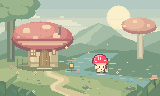
- Up to 8 people
- Guests join without an account
- Private invitation link
A little less setup.
A little more together.
You start the canvas.
Your friends only need the link.
- 01 / START
Make room for an idea.
Sign in as the owner and open an eligible fixed-canvas Project. Your work can stay local or use optional 8bit Cloud.
- 02 / INVITE
Send a little invitation.
Choose Collaborate in the editor. Share the private invitation with up to seven guests. They do not need an account.
- 03 / CREATE
See what you make together.
Draw, arrange layers, add frames, and follow each other’s cursors while your shared scene takes shape.
Shared pixels.
Still your Project.
You choose who joins, when the session ends, and what happens to the finished work.
- The signed-in owner keeps the Project.
- Guests can edit while the session is active.
- Local autosave stays part of the workflow.
- Cloud sync is optional, not a requirement.
Before you invite
the whole group.
Read the collaboration guide Which Projects can be shared?
Live collaboration supports eligible fixed-canvas Projects up to 1024 × 1024. Start a session from the full editor.
Do my friends need an account?
No. Invited guests join from your private session link. You must be signed in to host.
Is collaborating the same as publishing?
No. Collaboration is a live editing session. Publishing is a separate choice that creates a page for rendered Artwork, not an editable backup.
More cursors. One tiny world.
Bring your people. Make something none of you would have made alone.
Draw with friends